Skip to content
ems777 Live / Sports
LIVE LOBBY

ems777 — Slots, Live Tables and Sports Betting in One Place

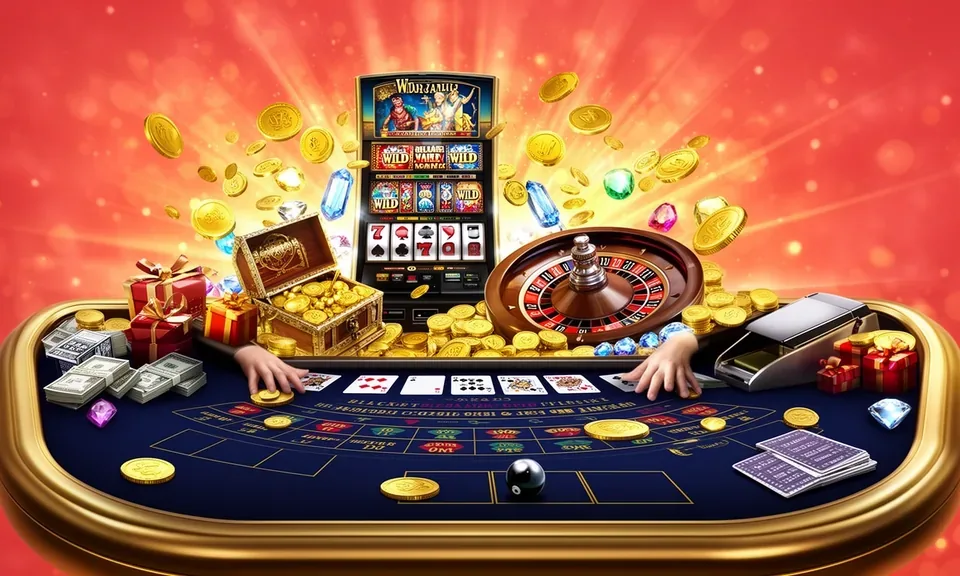
Slot rooms from PG Soft and Pragmatic Play, live baccarat and roulette tables, and basketball betting on PBA and NBA — all accessible from your phone with GCash, Maya or GrabPay. Access depends on local law and is available where your region permits.

GCash Maya GrabPay
Browse games
CONTENT / 01

Explore the Games We Get Asked About Most

The ems777 lobby is arranged so you can move between categories without losing your place. Slot rooms sit alongside live dealer tables, and the sportsbook is one tab away. Color Game Fiesta and Bingo 75 Ball are the two local-style titles you will see in the casual section — both run on mobile without any extra steps. Plinko Fiesta and Tarsier Treasure Slots sit in the featured row, and Lightning Baccarat Live is the headline table for anyone who prefers a faster-paced dealer format.

DISCOVER / 01

Choose your game

Full lobby
GAME NETWORK
PG Soft
Pragmatic Play
Microgaming
PlayStar
Bigtime Gaming
CQ9
CONTENT / 04

ems777 lobby studios

The ems777 lobby carries content from PG Soft, Pragmatic Play, Microgaming, PlayStar, Bigtime Gaming, CQ9. To check the studio, rules or features of one specific game, open that game card or the published information panel.

  • PG Soft

  • Pragmatic Play

  • Microgaming

  • PlayStar

  • Bigtime Gaming

  • CQ9

ACCOUNT DASHBOARD

Check What Is Running From Your Account Page

information and active account gameplay are not listed on a fixed schedule here. The current state is shown in your account dashboard after login — that is the single reliable place to see what applies to your account at any given time. What you will find there: your wallet balance, transaction history and any active items tied to your account.

Login
LOCAL PAYMENTS

Deposit and Withdraw With GCash, Maya or GrabPay

The payment section of your account is where you manage deposits and withdrawals. GCash, Maya, GrabPay and Coins. ph are the configured e-wallet rails — each one links directly through your phone number or e-wallet account. To deposit, go to the Wallet tab after login, select your e-wallet, and follow the amount and verification fields shown on that screen. The minimum and maximum amounts are displayed there at the time of the transaction; we do not publish fixed limits here because they can vary by account tier.

  • GCash

    Link your GCash number in the Wallet tab. Deposits go through the GCash payment screen, and the amount appears in your account wallet once confirmed. Keep the GCash reference number for any follow-up queries with support.

  • Maya

    Maya transfers work through the same Wallet tab flow. Select Maya, enter the amount, and complete the step on your Maya app. Your account balance updates after the transfer is confirmed on Maya's side.

  • GrabPay

    GrabPay is available as a deposit option in the Wallet tab. Follow the redirect to your GrabPay balance screen, confirm the amount, and the credit appears in your account wallet after the transaction completes.

  • Coins. ph

    Coins. ph lets you move funds directly from your Coins wallet. Select it in the Wallet tab, follow the amount fields, and confirm through your Coins. ph app. The transaction reference is saved in your account history for easy tracking.

Banking
EMS777
Mobile casino lobby
Popular Live Slots
Tarsier Treasure Slots Lightning Baccarat Live UAAP Basketball Betting
MOBILE LOBBY

Built for phones, clear on desktop

Cards, tables, FAQ and policy pages stay easy to read on smaller screens.

  • Quick categories
  • Mobile first
  • Access
App
CONTENT / 03

Play Tarsier Treasure Slots and Bingo 75 Ball on Your Phone

The home screen of ems777 is built around a vertical scroll layout that works with how you naturally hold your phone. Slot rooms like Tarsier Treasure Slots and Color Game Fiesta load in portrait mode without needing a screen rotation. The category row at the top of the screen keeps casino, live dealer and sportsbook one tap apart — switching between a Bingo 75 Ball session and the UAAP Basketball Betting section takes a single tap, not a menu dig.

  • Portrait Slot Rooms

    Slot titles like Tarsier Treasure Slots and Color Game Fiesta are laid out for a vertical phone screen. Reel controls sit at the bottom and the paytable icon is in the corner — accessible without leaving the game view or rotating your device.

  • Live Table on Screen

    Lightning Baccarat Live fills the phone screen with the dealer video at the top and your betting grid below it. Both are visible without scrolling, so you can follow the round and place a bet at the same time.

  • Wallet Pinned to Top

    Your balance and the deposit shortcut stay visible in the top bar across the home screen and category pages. You can check your wallet or add funds from GCash or Maya without closing a game room or navigating away.

  • One-Tap Category Switch

    The home screen category row keeps slots, live casino and sportsbook one tap apart. Moving from Bingo 75 Ball to the basketball betting section takes a single tap on the navigation bar at the top of the screen.

FEATURE BRIEF / 05

From UAAP Basketball Betting to Bingo 75 Ball

Basketball is the category many Philippines players head to first. UAAP Basketball Betting and NBA markets sit in the sportsbook tab, which is accessible directly from the home screen navigation bar. Boxing and Mobile Legends esports are also in the sportsbook section — the available markets for each are listed under their category label. On the casino side, Color Game Fiesta is the local-style option closest to the colour-wheel format many players already know from community games.

Game feature guide
  • Basketball Betting

    PBA and NBA markets are listed in the sportsbook tab. UAAP Basketball Betting is a separate category below the main basketball section. Available markets and match listings are shown there; we do not publish odds or fixtures outside the live sportsbook screen.

  • Color Game Fiesta

    Color Game Fiesta uses a six-colour wheel format. Pick a colour before the spin, and if the wheel lands on it, the round pays out at the rate shown on the bet panel. The payout rate for each colour is displayed on screen before you place a bet.

  • Bingo 75 Ball

    Bingo 75 Ball runs on a 5x5 card with a free centre square. Numbers are drawn and called in sequence; the pattern required to win is shown at the start of each round. Multiple cards can be active in one round — the card panel shows all of yours at once.

  • Plinko Fiesta

    Plinko Fiesta drops a ball from the top of a peg board. Each peg deflects the ball left or right, and it lands in a prize slot at the bottom. The multiplier value for each slot is visible before you release the ball, so you can see the range before committing to a drop.

ACCOUNT PATH

Open Your ems777 Account in Four Steps

Getting into the lobby starts at the account page. The registration form asks for a mobile number, a password and a few verification fields — follow exactly what is shown on that screen. Once your account is active, go to the Wallet tab to link your preferred e-wallet: GCash, Maya, GrabPay or Coins. ph. After linking, you can deposit by entering an amount and confirming through your e-wallet app.

  1. Open the Account Page

    Tap the account-creation button on the home screen. The registration form shows the fields you need to complete — mobile number, password and verification details. Follow each field as it appears on screen.

  2. Link Your E-Wallet

    Go to the Wallet tab after your account is active. Select GCash, Maya, GrabPay or Coins. ph and follow the linking steps shown. Your e-wallet number or account is connected at this step.

  3. Make Your First Deposit

    Still in the Wallet tab, enter a deposit amount and confirm through your chosen e-wallet app. The minimum and maximum for your account are shown on that screen. Your balance updates in the top bar once the transfer confirms.

  4. Open the Lobby

    Tap a category from the home screen navigation bar — slots, live casino or sportsbook. The room you choose loads directly. Your wallet balance stays visible in the top bar throughout.

MEMBER DESK / 06

Offers, support and account controls

01

Game lobby

02

Payment guide

03

Support

TRUST / 03

Reach Support Directly From Your Account

Support for account, wallet and game queries is available through the help channel linked in the account menu. If you have a question about a GCash deposit that has not reflected, a Maya withdrawal status or a game round that ended unexpectedly, the support team handles those queries with your transaction reference or round ID. The fastest way to get a resolution is to have that reference ready before you open a chat — it comes from your e-wallet confirmation screen or your account transaction history.

  • Account and Wallet Help

    For deposit or withdrawal questions — GCash, Maya, GrabPay or Coins. ph — open the support chat from the account menu and have your transaction reference ready. The reference comes from your e-wallet's confirmation screen and is the quickest way for the team to locate your transaction record.

  • Game Query Support

    If a game round ended in a way that does not match what you expected, the support team can review the round using your account's game history. Open the relevant session from the history tab in your account, copy the round ID shown there, and include it when you contact support.

  • Verification Assistance

    Some accounts require identity verification before a withdrawal is processed. The required fields are listed in the verification section of your account settings. If any field is unclear, support can explain exactly what document or detail is needed for your account type.

Learn more →
ACCOUNT CONTROLS

Controls Available Inside Your ems777 Account

The account settings section contains the controls that are relevant to how you use the lobby. Wallet limits, session history and account status settings are all in one place — accessible from the account menu after login. These are operational controls, not decorative ones: the wallet tab shows every transaction, the history tab shows every game session, and the settings tab is where you adjust account-level preferences.

  • Transaction History

    Every deposit and withdrawal tied to your account is listed in the Wallet tab under transaction history. Each entry shows the amount, e-wallet used, date and status. If a transaction shows a status you do not expect, copy the reference and bring it to support for clarification.

  • Session Activity Log

    The history tab in your account shows past game sessions, including the title, date and round outcomes where the provider publishes them. This is useful for reviewing a specific session if a result is unclear — open the relevant entry and copy the round ID before contacting support.

  • Account Settings Access

    Password updates, linked e-wallet changes and verification status are all managed from the account settings screen. Each setting shows its current state and the steps to change it. Follow the on-screen fields; support is available if any step in the settings flow is unclear.

  • Regional Availability

    Access to ems777 depends on local law and is available where your region permits. The platform does not operate outside eligible regions. If you are unsure about access from your location, check the eligibility notice shown on the account registration screen or ask support.

PLAYER INDEX / 07

Glossary of Game Terms Used in the Lobby

These definitions cover the mechanics you will encounter across the slot, live dealer and casual game categories in the lobby. Understanding them helps you read the game detail screen before you open a room.

Player guide and glossary
  • What is a bonus round in a slot game?

    A bonus round is a separate game phase triggered by landing a set of scatter symbols or meeting a specific condition shown in the game rules. During a bonus round, reels may behave differently — extra symbols can appear, multipliers can activate, or a picking game can run. The trigger condition and what happens during the round are described in the paytable, accessible from the game screen before you start.

  • What does RTP mean and where do I find it?

    RTP stands for Return to Player — it is the percentage of total wagers a game returns to players over a large number of rounds, as published by the provider. It describes long-run statistical behaviour, not a result you will see in a single session. Where a provider publishes this figure, it appears on the game detail screen before you open the room. We do not display RTP figures that a provider has not confirmed.

  • What is a Megaways mechanic?

    Megaways is a reel format developed by Bigtime Gaming. The number of symbols shown on each reel column changes randomly on every spin, which changes how many active lines are in play each round. A spin can have a small number of lines or several thousand — the count for the current spin is shown on the game screen. The mechanic is explained in the game's paytable before you open the room.

  • What is a jackpot in slot terms?

    A jackpot is a game's top prize, awarded when a specific rare combination appears on the reels. The prize value and the combination that triggers it are shown in the game's paytable. Some jackpots are fixed — the same amount regardless of bet size. Others scale with bets placed across sessions; where this applies, the current value is shown on the game screen or in the game detail panel.

  • What is a cascading reel?

    In a cascading reel mechanic, winning symbols are removed from the screen after a win and new symbols drop in to fill the empty spaces. This can create a chain of wins from a single spin. The mechanic continues until no new winning combination forms. PG Soft uses this format in several of its slot titles; the game detail screen confirms whether a title uses cascades before you open it.

  • What does 'live dealer' mean for table games?

    A live dealer game streams a real human dealer from a studio, running the table game in real time. You place bets on your screen and the dealer physically handles cards, wheels or dice. Lightning Baccarat Live is an example in this lobby — the dealer calls each round, and the outcome is determined by the physical result shown on the stream. Bet controls and the video feed are both visible on your phone screen during play.

  • What is a scatter symbol?

    A scatter symbol pays or triggers a feature regardless of where it lands on the reels — it does not need to be on a payline. Landing a set number of scatters in one spin typically triggers the bonus round or feature spins for that game. The number of scatters required and what they trigger are in the game's paytable, which you can open from the game screen.

Full glossary
LOBBY / 02

One mobile lobby, distinct game areas

Tarsier Treasure Slots Slots Tarsier Treasure Slots Access → Lightning Baccarat Live Live Lightning Baccarat Live Access → UAAP Basketball Betting Sports UAAP Basketball Betting Access → Color Game Fiesta Table Color Game Fiesta Access → Bingo 75 Ball Slots Bingo 75 Ball Access → Plinko Fiesta Slots Plinko Fiesta Access →
EXPLORE FURTHER / 04

Explore detailed guides

Local lobby check

QUICK ANSWERS

Frequently asked questions

These are the questions we hear most from people opening the lobby for the first time or returning after a break. If your question is not here, the support channel in your account menu is the next step.

Read FAQ →
How do I deposit using GCash on ems777?

Log in and go to the Wallet tab. Select GCash from the payment options, enter the amount you want to deposit, and follow the confirmation screen that opens through GCash. Once you approve the transfer on your GCash app, the amount is added to your account wallet. The transaction record appears in your wallet history immediately after confirmation. Keep the GCash reference number shown on your app's confirmation screen in case you need to follow up with support.

Can I switch between slots and the sportsbook without logging out?

Yes — the home screen navigation bar keeps slots, live casino and sportsbook in separate tabs that you can switch between without logging out or reloading the page. Your wallet balance stays visible in the top bar across all categories. If you are in a game room, tap the home icon first to return to the main navigation, then select the category you want. Your session remains active throughout.

Where do I find live casino tables like Lightning Baccarat Live?

Live casino tables are in the Live Casino category, accessible from the home screen navigation bar. Lightning Baccarat Live appears in the featured row of that section. Tap the table card to open the room — the dealer stream and your betting grid load on the same screen. If the table is at full capacity, a notice appears on the room card and you can join a waiting list or select an alternative table from the same category.

Is the ems777 lobby available on mobile?

The lobby is accessible from a mobile browser without a separate download. Slot titles, live dealer tables and the sportsbook are all reachable from the same home screen on your phone. Portrait-layout titles like Tarsier Treasure Slots and Plinko Fiesta are designed for a vertical phone screen. Live tables like Lightning Baccarat Live scale to fill the phone screen with both the dealer feed and bet controls visible at once. Availability depends on local law and is accessible where your region permits.

What payment methods are available for withdrawals?

Withdrawals go through the same e-wallets available for deposits — GCash, Maya, GrabPay and Coins. ph. Go to the Wallet tab, select withdrawal, choose your e-wallet, and enter the amount. The minimum and maximum withdrawal amounts for your account are shown on that screen at the time of the request. Once processed, the amount moves to your linked e-wallet. Your account transaction history records the withdrawal and its status; use the reference number there if you need to follow up.

How do I check what is currently active on my account?

The account dashboard is the single place to see your current account state — wallet balance, transaction history and any active items. Log in and tap the account icon or menu to reach the dashboard. The transaction tab shows deposits and withdrawals; the history tab shows past game sessions. Active information tied to your account, if any, are also listed there. There is no separate public page that reflects your account's current status — the dashboard is the source.

What do I do if a game round result seems incorrect?

Open the history tab in your account and locate the session in question. Each entry shows the game title, date and, where the provider publishes it, the round outcome. Copy the round ID from that entry and bring it to the support team through the help channel in your account menu. The support team can review the round record using that ID. Providing the ID upfront is the fastest way to get a clear answer — without it, the team needs to search through a longer session record.

Which studios supply the slot games in the ems777 lobby?

The slot lobby carries titles from PG Soft, Pragmatic Play, Microgaming, PlayStar, Bigtime Gaming and CQ9. You can filter by studio using the provider icon row on the slots page — tap any studio icon to see only its titles. Each game card shows the title name; where a studio publishes RTP data for a title, that figure is on the individual game detail screen. We show only what the studio has confirmed; no figures are estimated or assumed.

READY WHEN YOU ARE

ems777 game lobby

Access may be available only where local law permits.

Register Login